There are two ways you can create a tax return:
Move a tax return from MYOB AE/AO into Practice Compliance – This creates a tax return with data that will roll over from AE/AO from the previous year in AE/AO.
Add a new tax return using Tax in Practice Compliance – This creates a blank tax return. No data is moved from AE/AO. But if you already have a tax return in Tax, when creating a new return, all the data from the previous year will roll over.
Move a tax return from AE/AO (including AE returns with customised status)
Before moving a tax return, make sure you've completed the getting started steps.
Log in to AE/AO.
Go to the client and select the Tax returns tab.
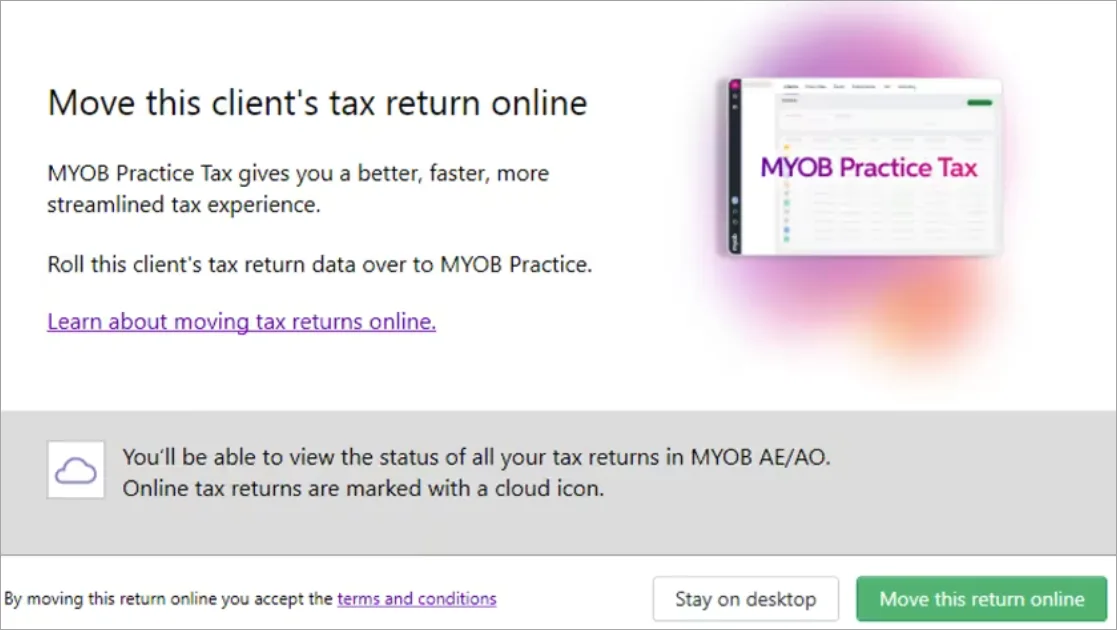
Select to open a tax return. Make sure the tax return is in Not Started status. The Move the tax return online window appears.
In the Move the tax return online window, click Move this return online.
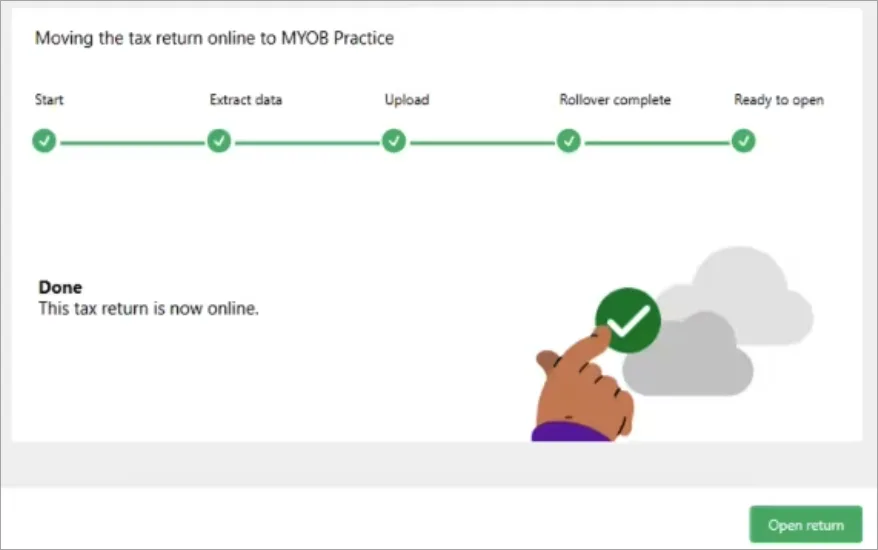
Click Open return after the process has finished successfully.
The tax return opens in Practice Compliance.


Moving AE tax returns that has customised statuses
You need to be on AE version 2025.1 to be able to move tax returns with customised status
If you use your own statuses in tax returns, before moving the returns online, make sure you've added your customised statuses. If you haven't added the statuses, you won't be able to move the returns.
Log in to AE.
Go to the menu: Maintenance > User Defined > Configuration.
Type the statuses under Key Value at the Key Name - AllowedTaxMigrationStatues field.
You must type the status within double quotes ( " ") and separate them with a comma (,).If you use the Status Level method, enter the status level descriptions
If you use the Tax Tracking method, enter the step code. E.g.: 1NotStar, 2InProgr.


Don't see the move returns online window?
If you don't see the Move returns online window, see errors when moving tax return from AE/AO to Practice Compliance for troubleshooting tips.
Add a tax return in Practice Compliance
If you don't have a tax return in AE/AO and want to start a tax return for a client, you can add a new tax return directly in Practice Compliance.
While you can do most tax returns in Practice Compliance, you can choose the best clients to move online. See Choose which clients to move to Tax to decide the best suited clients.
Select Add new button located in the top right-hand corner.
If you have a previous year's tax return online, some data, schedules, and workpapers will roll over. See Data rolled over from the previous year.In the Add form window, select the Client, Type, and Period.
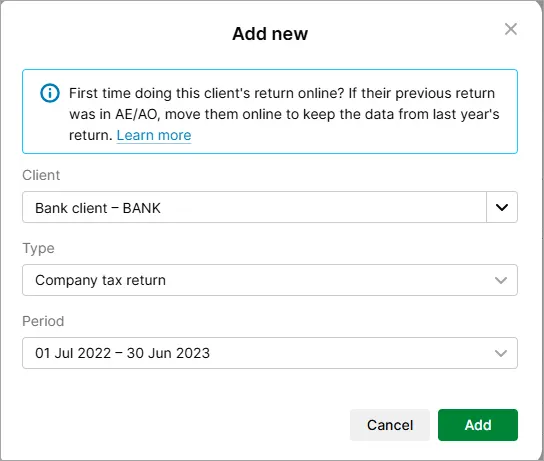
Select Add. A tax return will be created with a Not started status.
