You can join and learn more about the benefits of the Partner Program here.
We're making some changes to the MYOB Partner Program so it's easier to use and better aligns with how you work.
Check Partner Program tier
You can see your status tier in the Partner Hub in Practice Compliance.

Work with multiple practices
For security reasons, we can't link email addresses to your MYOB Academy account for you.
You can link your MYOB accounts from different practices in MYOB Academy, to associate them with one person. This lets you use information about which courses you complete using different accounts, towards your practice certification.
Learn more about Certified Practices for Australia or Certified Practices for New Zealand.
For the account link to work, you must have previously logged in to MYOB Academy with any account that you want to link.
Link your email addresses to your MYOB Academy account
Log in to MYOB Academy using the account you want to use for learning.
Go to your Learning Dashboard and, under Quick links, click Link/unlink my accounts.
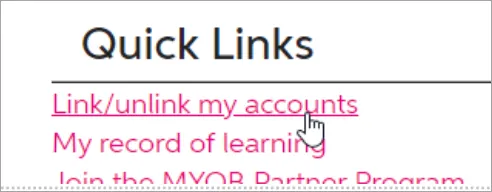
Under Manager user links, enter the email address you want to link to your MYOB Academy account.
Click Request link. You'll receive an email to verify your account.
The email link will expire in 24 hours.
In the email from MYOB Academy, click the link. Your accounts will now be linked.

Download badges
Certified Practice badges and status badges for your practice
Download your status and certification badges from Partner Hub.
On the left of Practice Compliance, click Practice (stack of three squares).
On the Overview page, click Download status badge and select the badge you want to download.
Certification badges for individuals
After you complete a certification, you can download your badge from MYOB Academy.
Troubleshoot issues
If you've just signed up to the Partner Program, you might need to wait one day (from your sign up) for the Partner Hub to appear. During this time, you can start setting up your team and giving them access to client files.
If you're still having trouble, in Practice Compliance, click the Help button (?) in the left menu bar, select Log a support case and complete the Support request form.
More resources
Learn more about benefits of different status tiers.
Learn more about the program details, including how to earn status credits, in the MYOB Partner Program Terms and Conditions.
Connect, share ideas and get updates on the Partner Program Member Space on the MYOB Community Forum.