Your MYOB subscription plan determines what features you can use in MYOB and your monthly subscription cost. If your business needs have changed, you can downgrade your subscription plan.
For example, you can:
move to a simpler product better suited to your needs, like from AccountRight to MYOB Business Lite, or from MYOB Business to MYOB Solo. Compare plans.
switch off Premium Features you no longer use, like inventory or payroll usage. More about Premium Features
If you’re the primary contact for your MYOB subscription (typically the person who set up it up), you can easily change your plan in My Account.
If you don't have access to My Account or you're having trouble, contact us for help.
Downgrade your subscription plan
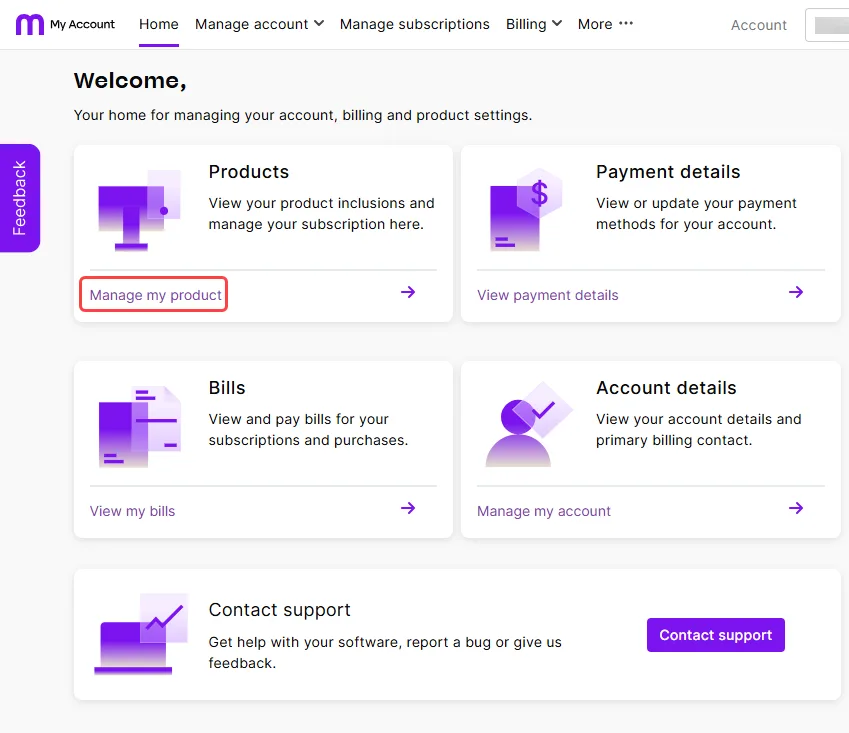
Go to My Account at myaccount.myob.com/account. If prompted, sign in using your MYOB account email address and password.
Click Manage my product.
Click Manage subscription next to the product you want to downgrade and choose an option. The available options depend on the product. In some cases you will need to select the option to contact us.

Your new monthly payment will start from your next bill.