Use your online payments settings to determine whether you would like online payments to be on or off by default for newly created invoices.
You can easily change the preference for individual invoices regardless of what the default setting is.
Turn online payments off by default
The following steps will turn off online payments for newly created invoices – it won't turn off online payments for previously created invoices.
Only the business owner or an Online Admin user can change the default online payments settings. Tell me more about user access.
Click the settings menu (⚙️) and choose Sales settings.
Click the Payments tab.
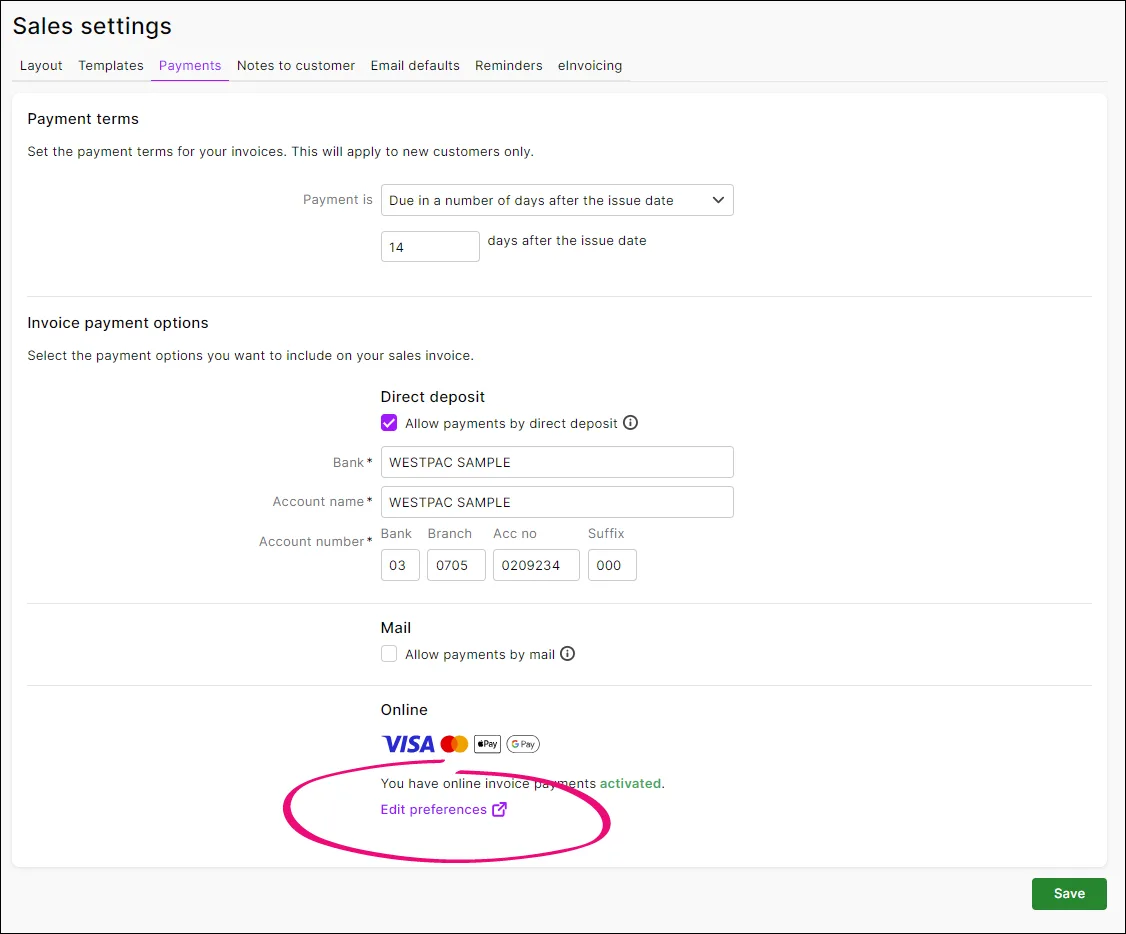
In the Invoice payment options section, click Edit preferences:
If prompted, log in to the Merchant Portal.
On the Online payments page > Online invoice payments tab, deselect Enable online invoice payments.
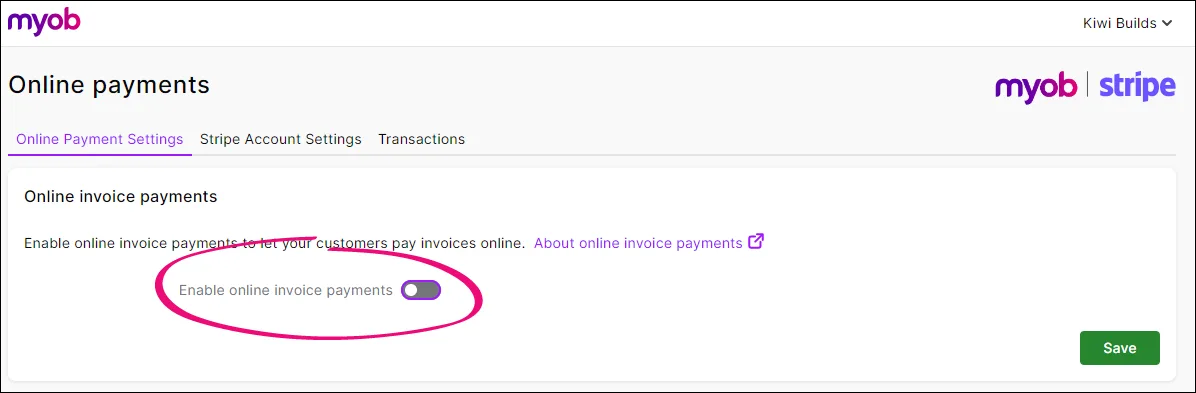
Click Save.


Turn online payments on by default
The following steps will turn on online payments for newly created invoices – it won't turn on online payments for previously created invoices.
Only the business owner or an Online Admin user can reactivate online invoice payments. Tell me more about user access.
Click the settings menu (⚙️) then choose Sales settings.
Click the Payments tab.
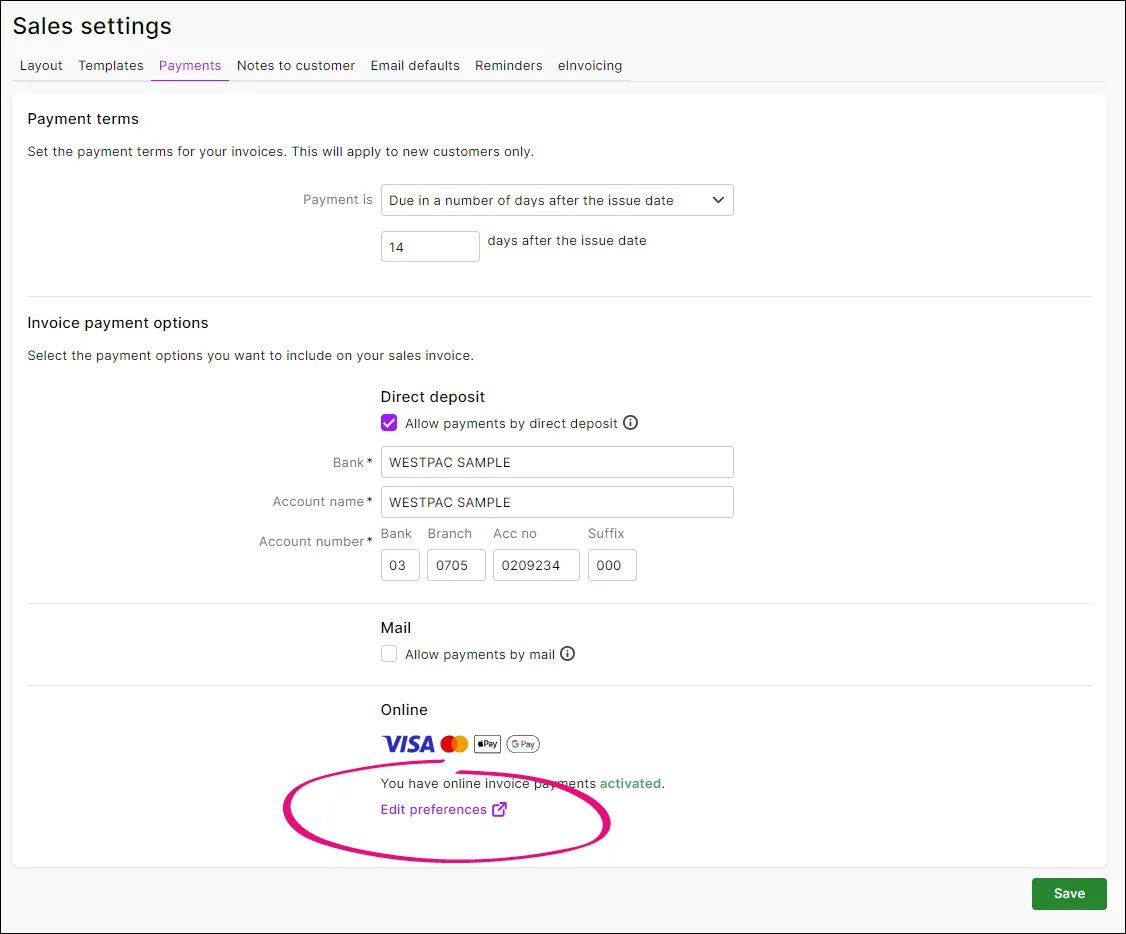
In the Invoice payment options > Online section, click Edit preferences:
If prompted, log in to the Merchant Portal.
On the Online payments page > Online invoice payments tab, select Enable online invoice payments.
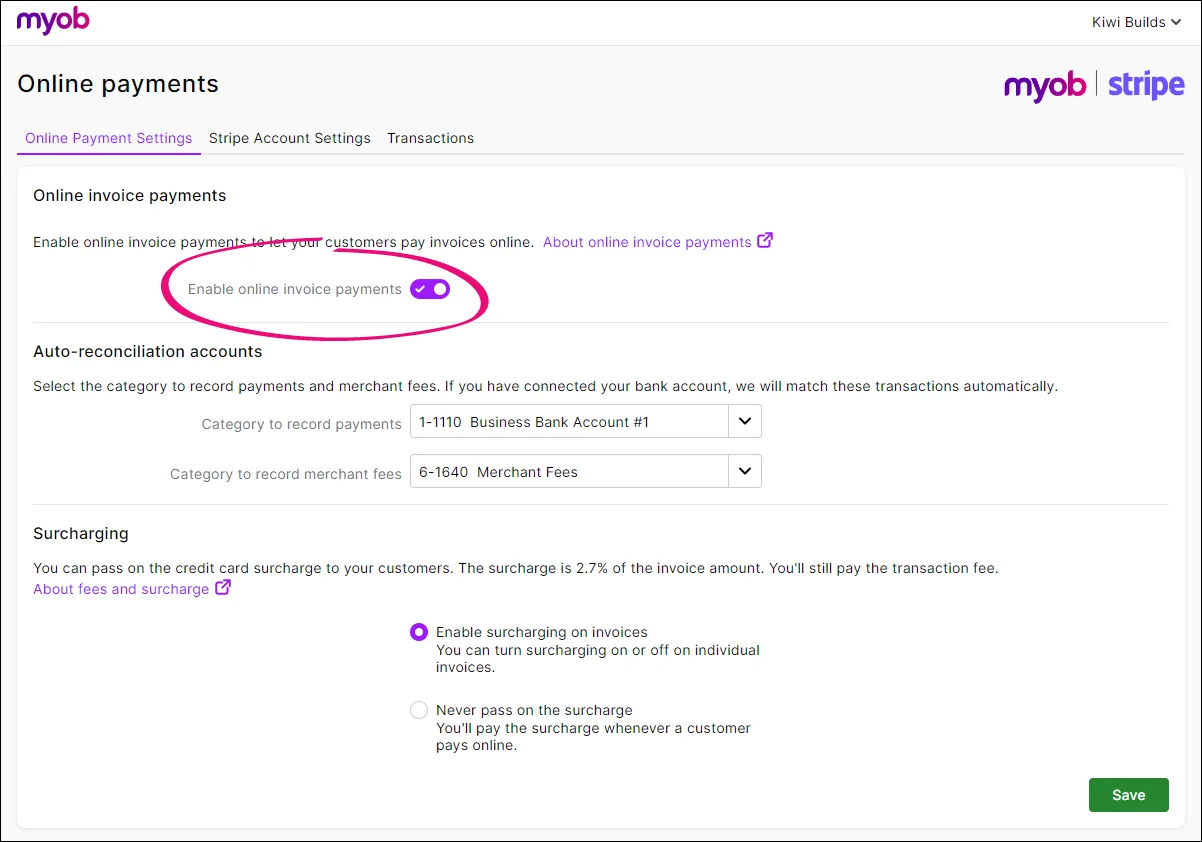
If you want to confirm the associated bank details are correct, see the Auto-reconciliation accounts section. For more info, see Editing your business bank details.
If you pass on credit card surcharges to your customers, select the Enable surcharging on invoices option.
When you're done, click Save.


Turn online payments on or off for a new invoice
You can remove your customer's option to make online invoice payments, you just need to deselect the Allow online payments option when you create an invoice.

This turns online payments on or off for this invoice only.
Online company files only
Use your online payments settings to determine whether you would like online payments to be on or off by default for newly created invoices.
You can easily change the preference for individual invoices regardless of what the default setting is.
Turn online payments on by default
The following steps will turn on online payments for newly created invoices – it won't turn on online payments for previously created invoices.
Only the Online owner or an Online administrator can change the default online payments settings. Tell me more online access levels.
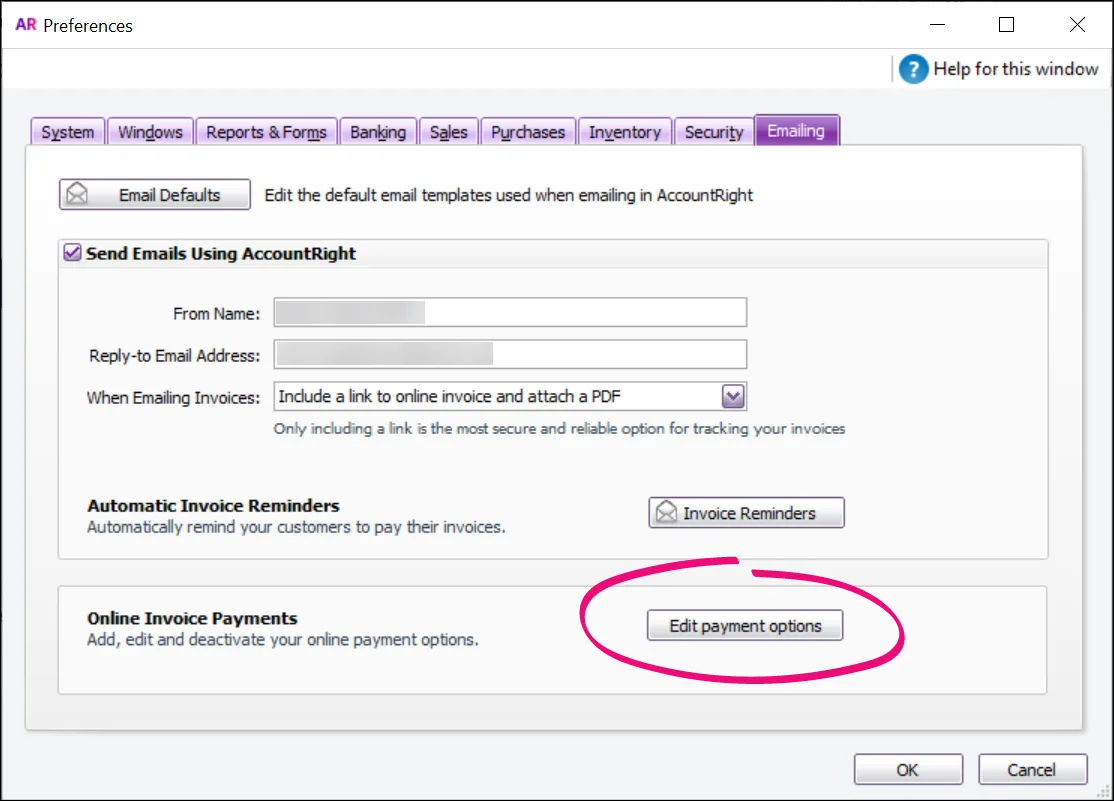
Go to the Setup menu and choose Preferences.
Click the Emailing tab.
Click Edit payment options.
If prompted, sign in to the Merchant Portal.
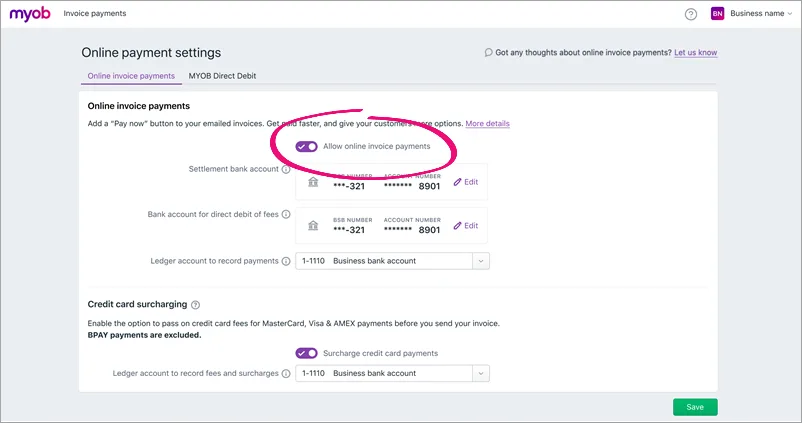
On the Online payment settings page > Online invoice payments tab, select Allow online invoice payments.
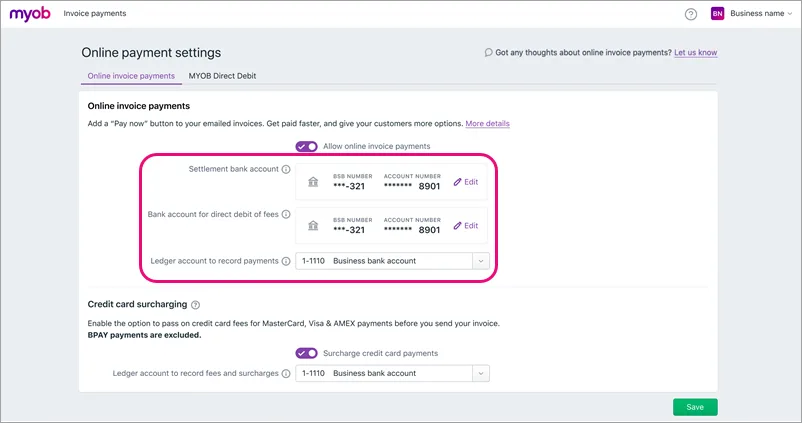
Confirm the associated bank details are correct. For more info, see Editing your business bank details.
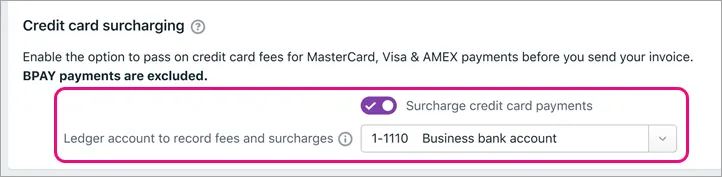
If you pass on credit card surcharges to your customers, select this option and choose the Ledger account to record fees and charges.
When you're done, click Save.


Turn online payments off by default
The following steps will turn off online payments for newly created invoices – it won't turn off online payments for previously created invoices.
Only the Online owner or an Online administrator can change the default online payments settings. Tell me more online access levels.
In your online AccountRight company file, go to the Setup menu and choose Preferences.
Click the Emailing tab.
Click Edit payment options.
If prompted, sign in to the Merchant Portal.
On the Online payment settings page > Online invoice payments tab, deselect Allow online invoice payments.
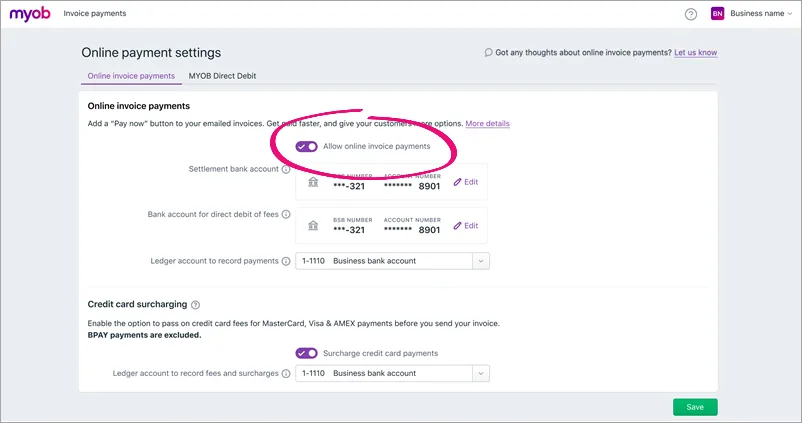
Click Save.

Turn online payments on or off for a new invoice
On each invoice you create, you can choose whether you want to include an online payment option.
Create your invoice as you usually do, and deselect the online payments option.
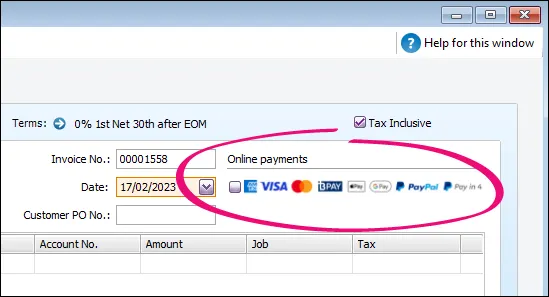
This turns online payments off for this invoice only.
Email the invoice to your customer as you normally would.

Turn online payments on or off for an existing invoice
Open the invoice you want to change the online payment settings for and select or deselect the Online payments option:

Click OK to save your changes and resend the invoice.